Sequence
an Android home-screen launcher
Say what you'll do.
Create to-do items seamlessly. Sequence parses an item like “call mom tomorrow night” for the right time and the right contact.
Do what you say.
Prioritize and schedule your sequences so you're working on what matters. Your phone was built to distract you, Sequence was built for focus.
Your list, and the cards above it.
Every sequence you have lives in your list. The cards above it are what matters most right now: running, pinned, or due next. They're what you see when you unlock.
Your first sequences are already there. Learn Sequence and its parts are the tutorial, and you tick each part off as you learn it.
double-tap a row to complete it
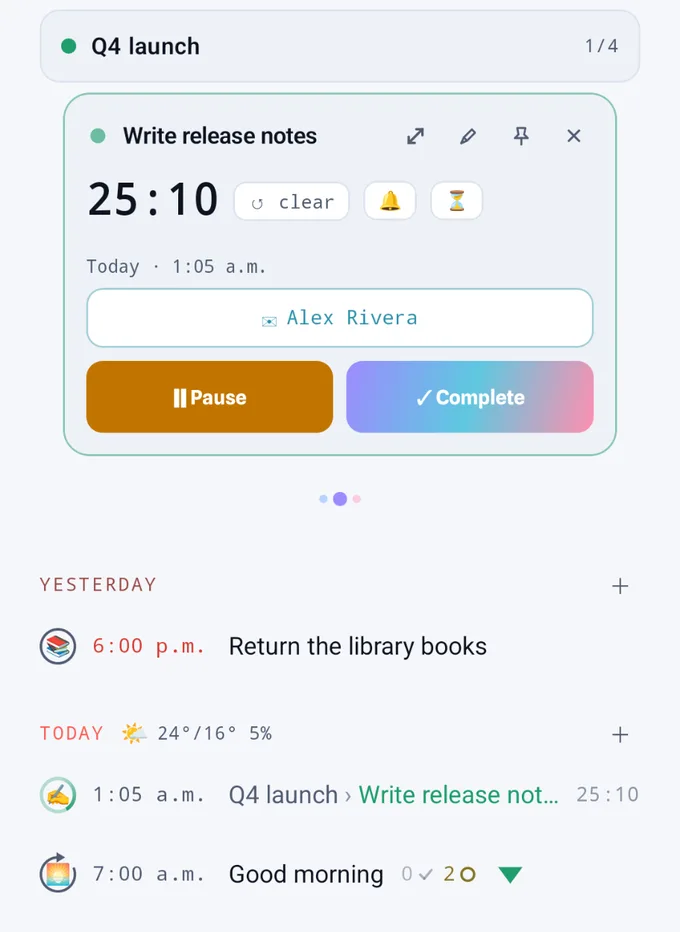
Type it the way you'd say it.
What you type is turned into the sequence's details. The title and time are picked out for you, and you can change either one by tapping it.
Set a reminder or a timer to keep yourself on track. Type a length, like “20m sauna”, and it becomes the timer.
Nothing is saved until you press Confirm. Anything Sequence guesses is shown as an offer, and it only sticks if you tap it.
Say it once. It comes back on schedule.
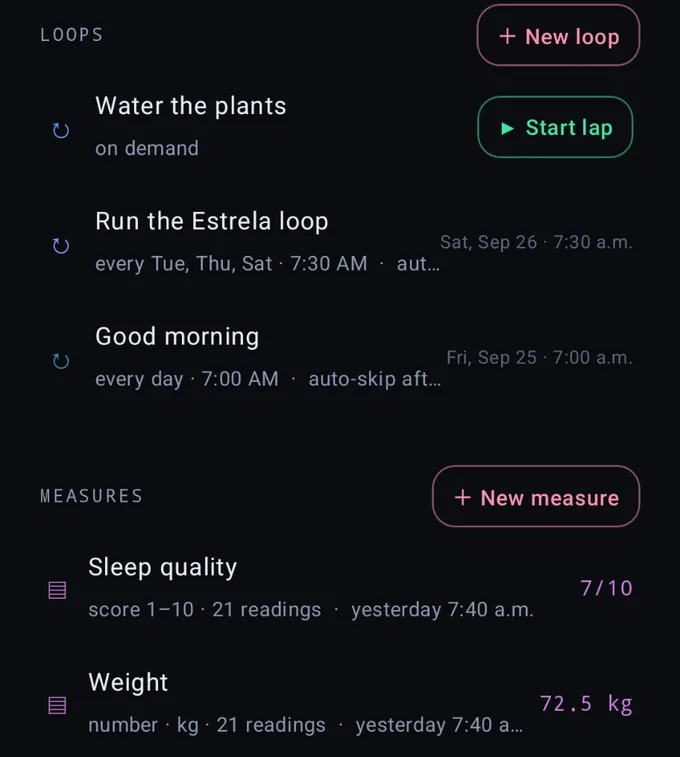
“Pay off the credit card today every month.” The every month is picked up from the line, and each month a new lap shows up by itself. Tick this month's lap and the next one is waiting.
It understands daily, weekdays, every Monday and every 2 weeks. You can also connect an app to a loop, like your banking app to the credit card.
Sequences nest.
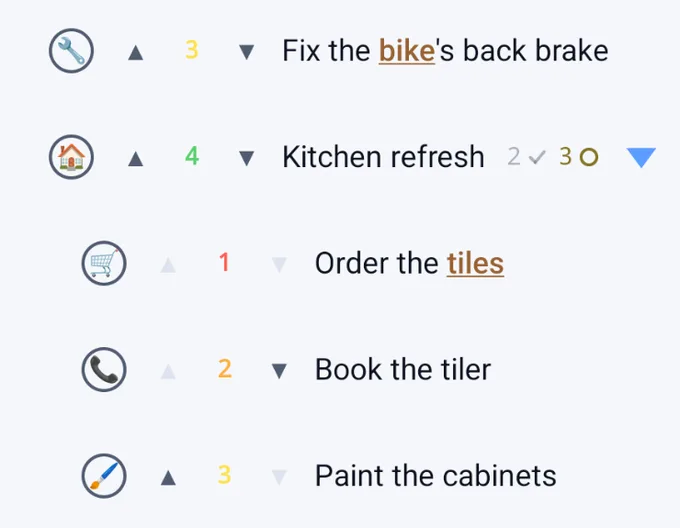
A subsequence is a step of progress in another sequence, its supersequence. Subsequences and supersequences are sequences themselves.
Completing a supersequence requires completing all of its subsequences too.
Objects.
Sequences that name the same object are linked: everything with @mom, everything at ^home. They're linked, not nested.
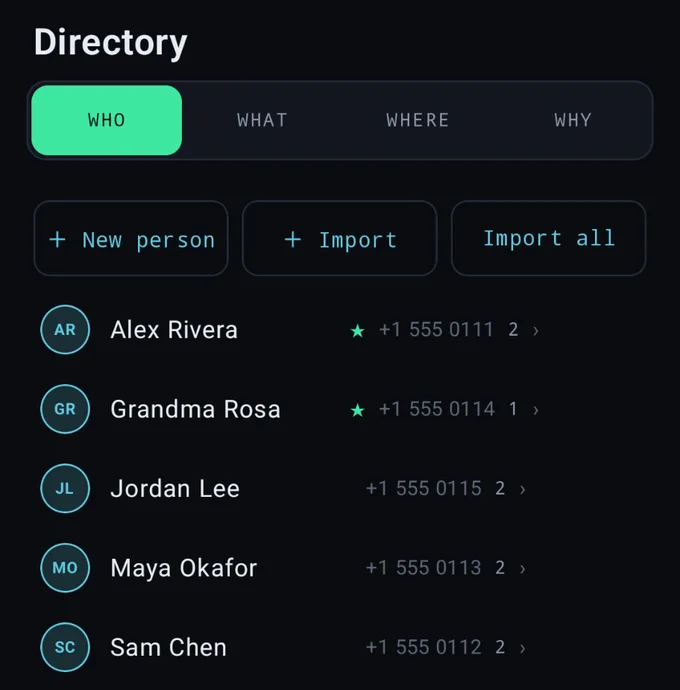
They all live in the Directory, with everyone and everything you've named. Import your contacts and they arrive as people, read from the phone and never sent anywhere.
- @ whothe people in it. Name @mom, and the card can call her.
- $ whatthe thing it's about: an object, an amount.
- ^ wherethe place, pinned on a map. The card can take you there.
- # whythe reason, a purpose sequences add up to.
- whenread off the line: “tomorrow at 6”. It needs no symbol.
It's your home screen.
Sequence replaces your home screen, so your sequences are the first thing you see. Five tabs sit along the bottom, with your apps behind the middle one.
One search covers everything: sequences, apps and objects together.
- SequenceHome: your cards, your list, your loops.
- CalendarHow the day went, and what happened. See your progress over days, weeks or months, look back or plan ahead.
- AppsEvery app in one list, with your screen time and any daily limits you set.
- DirectoryEveryone and everything you name.
- SettingsAll your settings, plus feedback that goes straight to the developer.
14 days free.
Everything on the phone is on and nothing is asked of you. Server is its own, added whenever you want it. After that:
| Own$20 onceyours for good | Rent$1 / monthcancel any time | Server+ $1 / monthon top of either | |
|---|---|---|---|
| The launcher, cards & capture | ✓ | ✓ | — |
| On-device AI, limits, calendar | ✓ | ✓ | — |
| Local encrypted export | ✓ | ✓ | — |
| Never held hostage: restore, paid or not | ✓ | ✓ | — |
| Server backup, every day | — | — | ✓ |
| Claude & any assistant you connect | — | — | ✓ |
| Catalog packs & Weather | — | — | ✓ |
| Sealed: the server reads nothing | ✓ | ✓ | ✓ |
Juggling an ever-growing list, one sequence at a time. Your data is never for sale; what you pay keeps Sequence going.
It lives on your phone.
There's no account, no login and no telemetry. Nothing you can read leaves the phone unless you wrote it to be sent and saw all of it first.
Packs are plain files you can open before you trust them: seqn.sh/packs/index.json
- Stored on the deviceYour sequences are in a database on the phone, and Google's automatic Drive backup is switched off.
- AI on the phoneGemini Nano runs on the device, and it's optional. Everything works without it.
- Nothing held hostageYou can export or restore your data whether you pay or not.
- Cloud that can't readBackups are encrypted with a twelve-word key only you hold. The server stores data it can't open.
FAQ
When can I install it?
Soon. Sequence is on its way to Google Play, with 14 days free when it arrives.
Does it replace my home screen?
Yes, Sequence is a launcher. At the end of the tutorial it asks to become your home screen. Your apps are still one tap away, behind the middle tab.
Does it read my calendar and contacts?
Only if you choose to, and only on the phone. Calendar events show up as cards and contacts become people in the Directory. None of it is sent anywhere.
iPhone?
No. Home-screen launchers only exist on Android.
Why seqn.sh?
It's the web address. The app is just Sequence.